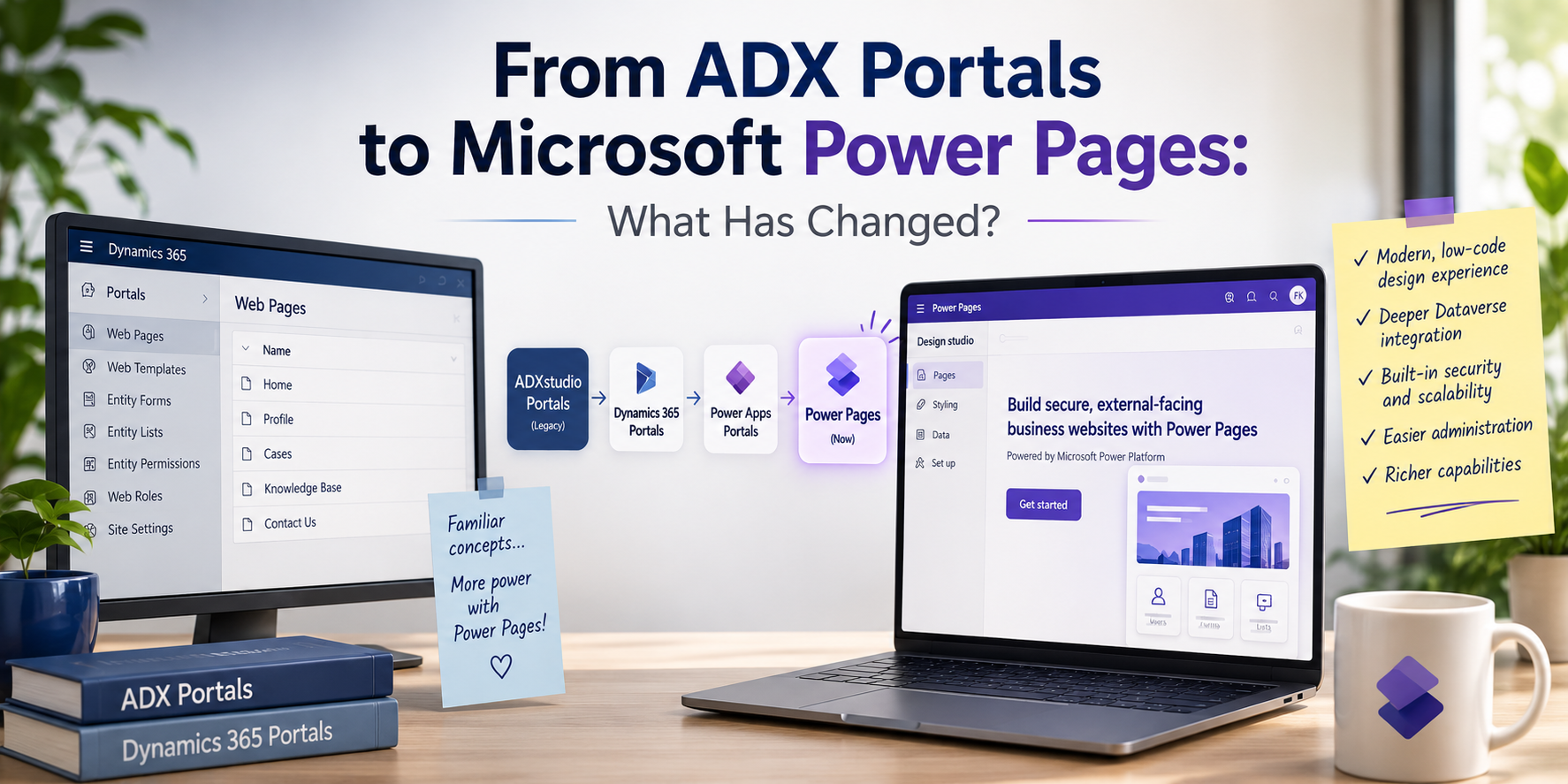
From ADX Portals to Microsoft Power Pages: What Has Changed?
If you have worked with Dynamics 365 portals for several years, opening Microsoft Power Pages for the first time may feel surprisingly familiar.
That was my experience.
Most of my previous portal experience was with ADX / Dynamics 365 Portals. When I recently started exploring Microsoft Power Pages, I expected something significantly different.
Instead, I immediately recognized many familiar concepts:
- Web Roles
- Forms and Lists
- Permissions
- Web Pages
- Web Templates
- Liquid
- Site Settings
- Dataverse data
Power Pages is certainly a much more modern experience, but its connection to the older Dynamics portal technology is still visible.
So, how are ADX and Power Pages actually related, and what has changed?
The Evolution from ADX to Power Pages
Power Pages didn’t appear as a completely new portal technology.
Its history can be simplified as:
ADXstudio Portals → Dynamics 365 Portals → Power Apps Portals → Microsoft Power Pages
ADXstudio originally provided portal technology for Microsoft Dynamics CRM.
After Microsoft acquired ADXstudio, the portal technology gradually became part of the Microsoft Dynamics and, later, Power Platform ecosystem.
Over time, the product evolved through Dynamics 365 Portals and Power Apps Portals before becoming what we now know as Microsoft Power Pages.
This history explains why experienced ADX developers and Dynamics consultants will recognize many concepts when they start working with Power Pages.
What Is Microsoft Power Pages?
Power Pages is Microsoft’s low-code platform for building external-facing business websites connected to Dataverse.
Consider a typical Dynamics 365 environment.
Internal employees might use a Model-driven App to manage customers, requests, cases, orders, or other business records.
But what happens when customers, partners, suppliers, or other external users need to interact with that data?
Instead of giving them access to the internal Dynamics 365 application, we can provide an external website.
A simplified architecture could look like this:
External User → Power Pages → Dataverse ← Dynamics 365 / Power Apps
For example, a customer could:
- Sign in to a portal
- Submit a support request
- Upload documents
- View their own requests
- Update information
- Track the status of a request
The internal support team can then manage the same records through Dynamics 365 or a Model-driven App.
Power Automate and other Power Platform services can also be added to automate processes around those records.
ADX Concepts That Still Feel Familiar
One of the first things I noticed while exploring Power Pages was how much of my previous portal knowledge was still relevant.
Some terminology has evolved, and the development experience has changed significantly, but many underlying ideas remain familiar.
| ADX / Older Portal Concept | Power Pages |
|---|---|
| Entity Form | Basic Form |
| Entity List | List |
| Entity Permission | Table Permission |
| Web Role | Web Role |
| Web Page | Web Page |
| Web Template | Web Template |
| Liquid | Liquid |
| Site Setting | Site Setting |
This is an important point for anyone coming from older Dynamics portal development.
You are not necessarily starting from zero.
Understanding Web Roles, permissions, Liquid, portal configuration, and the relationship between portal users and Dynamics data still provides a useful foundation.
So What Is Different About Power Pages?
The biggest difference I noticed isn’t simply one individual feature.
It is the overall experience around building and managing a portal.
1. A Modern Low-Code Design Experience
With older portal implementations, many configurations were managed directly through Dynamics 365 records and the Portal Management application.
Power Pages provides a much more visual design experience.
Pages, styling, forms, lists, security configuration, and other components can increasingly be managed through modern maker tools.
For simple scenarios, this significantly lowers the barrier to building an external business website.
2. Deeper Integration with the Power Platform
Power Pages now sits directly within the broader Power Platform ecosystem.
That means a solution can combine:
Power Pages + Dataverse + Power Automate + Power Apps
For example:
Customer submits a request in Power Pages
↓
Record is created in Dataverse
↓
Power Automate starts an approval or notification process
↓
Internal users manage the request through a Model-driven App
This creates an interesting architecture where external and internal users participate in the same business process through different interfaces.
3. Security Is Still a Core Concept
Building an external portal isn’t simply about displaying Dataverse records on a website.
Security becomes extremely important.
A customer should not be able to change a URL or manipulate a request and suddenly see another customer’s information.
This is where concepts such as Web Roles and Table Permissions become critical.
Interestingly, this is another area where previous ADX knowledge remains very relevant.
4. Low-Code Doesn’t Mean No-Code
Power Pages provides a much easier low-code starting point, but more advanced projects can still require technical customization.
Depending on the requirements, developers may work with technologies and concepts such as:
- Liquid
- JavaScript
- CSS
- Web Templates
- Dataverse
- Power Automate
- APIs and integrations
So Power Pages can serve both makers building relatively straightforward business sites and developers implementing more sophisticated portal requirements.
Is ADX Still Used?
Legacy ADX-based portals may still exist in organizations, particularly in environments that have been running Dynamics solutions for many years.
However, ADXstudio Portals itself is a legacy product.
For modern Microsoft implementations, Power Pages represents the current direction of the platform.
This distinction is important.
Seeing an existing organization using an old ADX or Dynamics portal does not mean ADX is the recommended technology for a new implementation.
For new Power Platform projects requiring an external business website, Power Pages is the technology to evaluate.
A Practical Example
Imagine a company that manages service requests in Dynamics 365.
Internally, employees use a Model-driven App.
Externally, customers need to submit and track requests.
The architecture could be:
Customer
↓
Power Pages
↓
Dataverse
↓
Power Automate
↓
Dynamics 365 / Model-driven App
The customer gets a clean external website.
Employees continue working in their internal business application.
Both sides interact with the same underlying business data and processes.
This is where Power Pages becomes particularly powerful.
My First Impression Coming from ADX
For me, exploring Power Pages has been less about learning a completely unfamiliar technology and more about seeing how something I already worked with has evolved.
The terminology and tools have changed.
The maker experience has improved.
The connection with the wider Power Platform has become much stronger.
But many of the architectural concepts behind portals still feel familiar.
That makes the transition from ADX/Dynamics 365 Portals to Power Pages particularly interesting:
Same roots. Familiar concepts. A much more modern experience.
And for anyone with previous ADX experience, that existing knowledge may be more valuable in the Power Pages world than it initially appears.